


EasyFind
幾何圖案配對函式庫
- 採用特徵點技術進行圖案配對
- 可從影像或 DXF 向量模型中學習
- 全自動、快速且穩定
- 對旋轉和縮放不敏感
- 對圖案退化具有高容錯能力
- 支援「無關」區域
說明
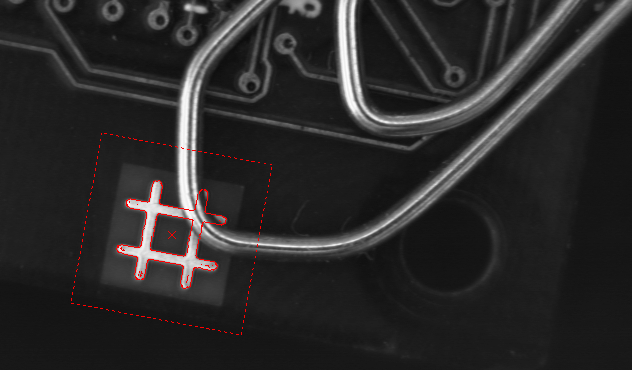
EasyFind 基於創新的特徵點技術,旨在快速於影像中找出一個或多個參考模型的實例。相較於正規化相關法,EasyFind 具備更快的處理速度與更佳的穩健性。在處理因雜訊、模糊、遮擋、缺失部分或光照條件不穩定而嚴重退化的實例時,它展現出卓越的表現。
次像素精度
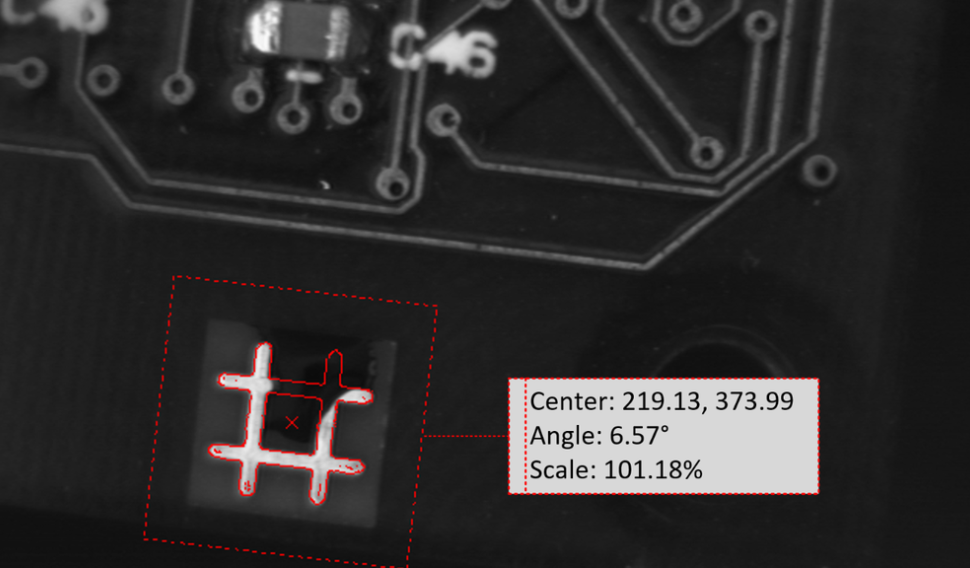
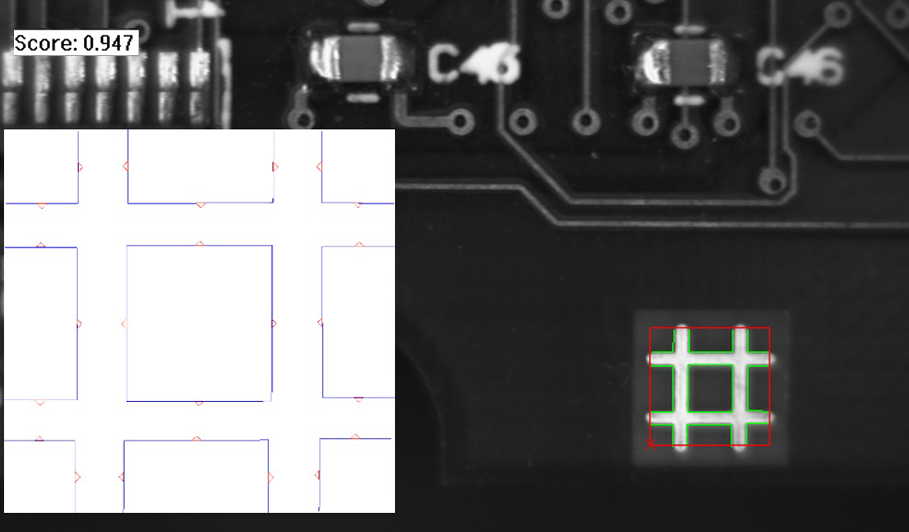
EasyFind 的精準度可調整至亞像素級別,能針對偵測到的實例提供極為精確的資訊,例如其位置、旋轉角度、縮放比例及匹配分數。
快速處理與提升的穩健性
EasyFind 基於一項創新的特徵點技術。它並非逐像素地將參考模型與樣本影像進行比對,而是仔細選取模型中的顯著特徵。此方法使 EasyFind 僅需比對傳遞重要資訊的區域,從而實現更快的處理速度,並大幅提升系統的穩健性。
針對任意區域進行學習與搜尋
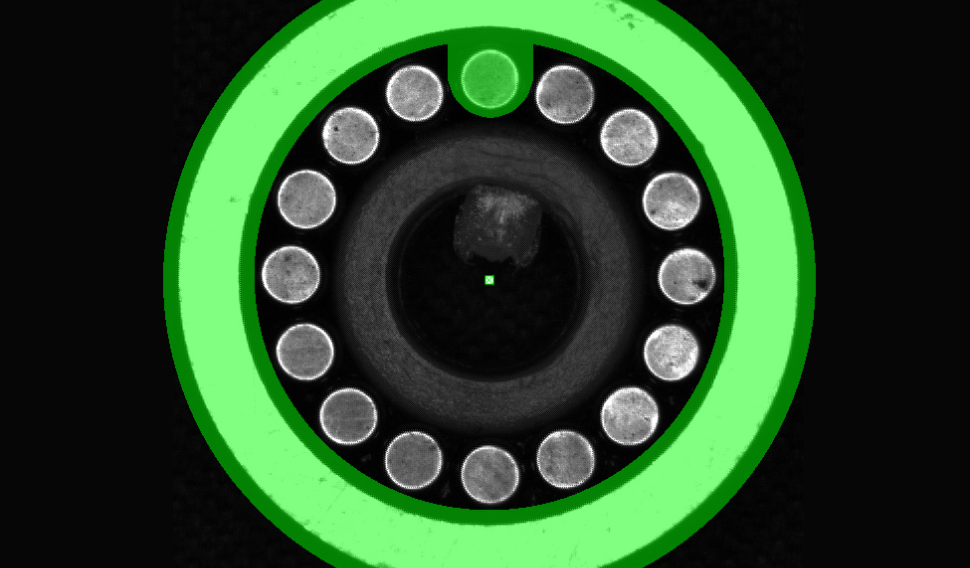
EasyFind 支援「自訂區域」功能,讓您能夠精確(精確到像素)選取圖案和/或搜尋欄位中應納入考量哪些部分。如此一來,您可以聚焦於特定部分或忽略其他部分,從而完全掌控要尋找的內容及其位置。
透過多種模式學習
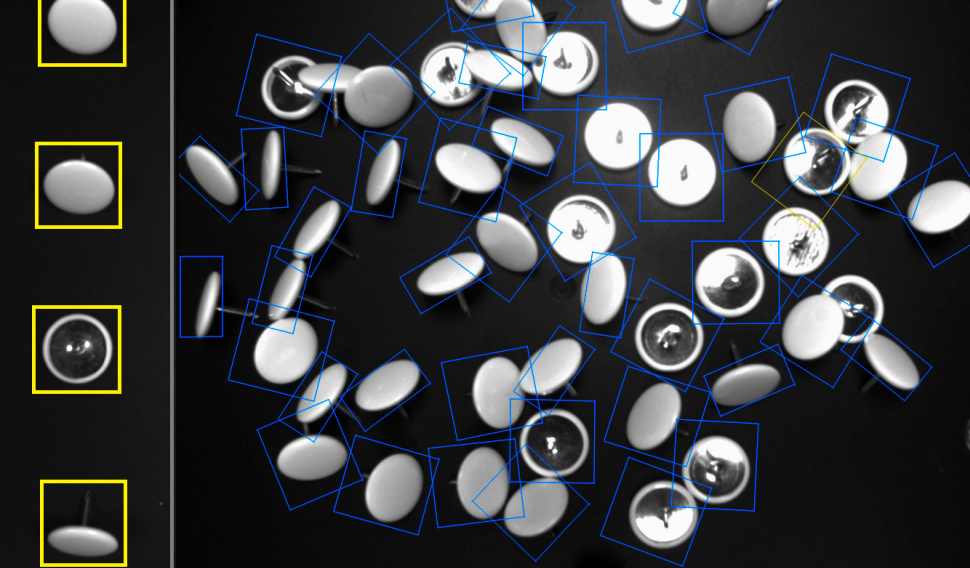
EasyFind 能夠從多種圖案中學習,使其在面對照明、視角或變形等變化時更具抗干擾能力。它還能透過多種圖案變體來定位物體——例如,印有不同標誌的零件,或是硬幣的正面與背面。
關於向量圖案的培訓
在此模式下,學習是針對 2D 幾何形狀的集合進行,而非針對柵格化圖案。學習模型是透過新的 EVectorModel 類別建構而成,可透過從 DXF 檔案載入,或透過程式化方式使用 eVision EShape 物件來建構。此擴充功能非常適合用於尋找具有已知幾何形狀的物件。
其他好處
Neo 授權系統
Neo 是一套全新的授權系統。它可靠且技術先進,現已可用於儲存 eVision 和 eGrabber 授權。Neo 讓您能選擇在何處啟用授權,無論是透過 Neo 硬體金鑰,還是 Neo 軟體容器皆可。您先購買授權,之後再決定啟用方式。
Neo 授權金鑰具備堅固的硬體結構,並可靈活地在不同電腦之間移轉。Neo 軟體容器則無需任何專用硬體,而是與其被啟用的電腦綁定。
Neo 隨附專屬的 Neo 授權管理員,提供兩種使用模式:直觀且易於操作的圖形使用者介面,以及可輕鬆自動化 Neo 授權流程的命令列介面。
所有適用於 Windows 與 Linux 的 eVision 函式庫
- Microsoft Windows 11、10 適用於 x86-64 (64 位元) 處理器架構
- Microsoft Windows 11、10 IoT Enterprise 適用於 x86_64 系統
- 適用於 x86-64(64 位元)及 ARMv8-A(64 位元)處理器架構的 Linux,需具備 glibc 2.18 或更高版本
eVision Studio
eVision Studio 是 eVision 的評估、原型設計與開發工具。
其直觀的圖形化使用者介面,讓您能夠呼叫 eVision 的任何 2D 影像處理函式,並立即查看結果。其腳本功能可產生對應的程式碼,您可將該程式碼複製並貼上至您的應用程式中。
eVision Studio 完全免費(適用於 eVision 2.0 及以上版本),且無需任何授權。


Software
- Host PC Operating System
-
eVision is a set of 64-bit libraries that require an Intel compatible processor with the SSE4 instruction set or an ARMv8-A compatible processor.
eVision can be used on the following operating systems:
Microsoft Windows 11, 10 for x86-64 (64-bit) processor architecture
Microsoft Windows 11, 10 IoT Enterprise for x86-64 systems
Linux for x86-64 (64-bit) and ARMv8-A (64-bit) processor architectures with a glibc version greater or equal to 2.18
Remote connections
Remote connections are allowed using remote desktop, TeamViewer or any other similar software.
Virtual machines
Virtual machines are supported. Microsoft Hyper-V, Oracle VirtualBox and libvirt hypervisors have been successfully tested.
Only the Neo Licensing System is compatible with virtualization.
Minimum requirements:
2 GB RAM to run an eVision application
8 GB RAM to compile an eVision application
Between 100 MB and 2 GB free hard disk space for libraries, depending on selected options.
- APIs
-
Supported programming languages :
The eVision libraries and tools support C++, Python and the programming languages compatible with the .NET (C#, VB.NET)
C++ requirements: A compiler compatible with the C++ 11 standard is required to use eVision
Python requirements: Python 3.11 or later is required to use the Python bindings for eVision
.NET requirements: .NET framework 4.8 (or later) or the .NET platform 6.0 (or later) are supported
Supported Integrated Development Environments:
Microsoft Visual Studio 2017 (C++, C#, VB .NET, C++/CLI)
Microsoft Visual Studio 2019 (C++, C#, VB .NET, C++/CLI)
Microsoft Visual Studio 2022 (C++, C#, VB .NET, C++/CLI)
QtCreator 4.15 with Qt 5.12
Ordering Information
- Product status
-
Released
- Product code - Description
-
PC4158 Open EasyFind for USB dongle
PC4308 Open eVision EasyFind
- Related products
-
PC6512 eVision/Open eVision USB Dongle (empty)
PC6514 Neo USB Dongle (empty)